
CurbStand3.2.6 - Google Play
You'll be able to see results in few seconds.
Publisher Description

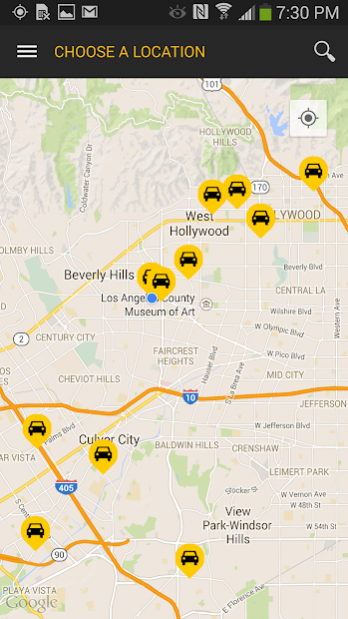

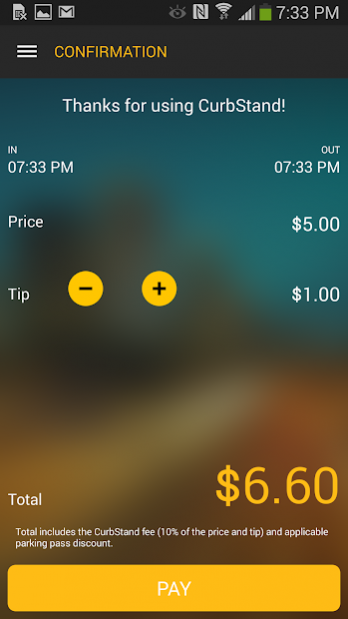
No cash for valet? No worries! Conveniently pay and tip for valet parking with CurbStand at nearly 400 restaurants and venues in Los Angeles, Miami, Dallas and Austin. Just look for our bright yellow umbrellas and the CurbStand logo as you pull up. More cities coming soon!
- Open the app to find nearly 400 CurbStand locations.
- Simply drop off your keys with the valet attendant, and check-in on the CurbStand app with your ticket.
- When you're ready to leave just open the app, tap “Request Car” when you’re ready to leave and we’ll tell you what time to come outside and pick up your car. No more waiting. (not yet available at all locations)
- Pay and tip in the app after you get your car.
You’ll wonder how you ever used valet parking before CurbStand. And if you don’t usually valet park, we bet you’ll start now.
About CurbStand
The company that develops CurbStand is Curbstand. The latest version released by its developer is 3.2.6.
To install CurbStand on your Android device, just click the green Continue To App button above to start the installation process. The app is listed on our website since 2020-02-26 and was downloaded 0 times. We have already checked if the download link is safe, however for your own protection we recommend that you scan the downloaded app with your antivirus. Your antivirus may detect the CurbStand as malware if the download link to com.curbstand.consumer is broken.
How to install CurbStand on your Android device:
- Click on the Continue To App button on our website. This will redirect you to Google Play.
- Once the CurbStand is shown in the Google Play listing of your Android device, you can start its download and installation. Tap on the Install button located below the search bar and to the right of the app icon.
- A pop-up window with the permissions required by CurbStand will be shown. Click on Accept to continue the process.
- CurbStand will be downloaded onto your device, displaying a progress. Once the download completes, the installation will start and you'll get a notification after the installation is finished.
Version History
version 3.2.6
posted on 2020-02-26
App start up page changed from map view to signup/login for non-registered users
version 3.2.5
posted on 2019-11-11
- Minor UI/UX Fixes
- Daily location pricing
- Park History
- Curbstand Membership Updates
version 3.2.0
posted on 2019-07-26
-Add Profile Picture
-Set Default Tip
-Sign in As Reserve Card Member
-Expo updated to the latest version
-Minor UI/UX Fixes
version 3.0.20
posted on 2016-06-27
All new version 3.0
Disclaimer
Official Google Play Link
We do not host CurbStand on our servers. We did not scan it for viruses, adware, spyware or other type of malware. This app is hosted by Google and passed their terms and conditions to be listed there. We recommend caution when installing it.
The Google Play link for CurbStand is provided to you by apps112.com without any warranties, representations or guarantees of any kind, so access it at your own risk.
If you have questions regarding this particular app contact the publisher directly. For questions about the functionalities of apps112.com contact us.
